
Canary Deployment

Releasing software isn’t just creating and submitting the code. A perfect code submission doesn’t mean the software will be perfect in production. Unstaged conditions can’t be replicated like in a testing environment. We can use canary deployment. This allows observers to slow down the release of code to production, ensuring a smooth deployment.
What is a Canary Deployment?
A canary deployment is a software release method in which a new version of an application is first exposed to a small group of users, requests, or servers before being rolled out to everyone. The stable version continues to run, while the new version handles only limited production traffic. If the canary version works as expected, the team gradually increases the traffic until the new version becomes the main release.
This approach helps developers test real production behavior without incurring significant risk. Staging environments are useful, but they cannot always reflect real user behavior, network conditions, traffic patterns, or unexpected inputs. A canary deployment gives teams a safer way to observe those things before a full rollout.
In canary deployment software, this small release setup is often called a canary environment. Teams can control traffic by user group, region, request header, load balancer rule, or service mesh configuration.
Compared to an automatic rolling update, canary deployment offers teams greater control over traffic distribution, monitoring scope, and rollback options.
How Canary Deployment Strategies Work in Practice
A canary release usually starts after the code has passed normal checks, such as unit tests, integration tests, security scans, and staging validation. It does not replace testing. It adds another safety layer by showing how the change behaves under real production traffic.
A common flow looks like this:
- Deploy the new version beside the stable version.
- Send a small percentage of traffic to the canary.
- Monitor errors, latency, logs, and business metrics.
- Increase traffic if the results look healthy.
- Roll back if the canary fails.
- Promote the new version when confidence is high.
A team, for example, may kick off their deployment with access to only 2% of traffic. After checking the system for error rate, latency, CPU and memory usage, logs, and key user actions, they may increase their access to 10%, then 25%, and eventually 50% of the traffic. If all key metrics stay unchanged, the new version automatically becomes the default, and the deployment is complete.
The rollout speed depends on the application. High-traffic APIs can quickly produce useful signals, while low-traffic tools may take longer. Critical systems, such as payment or healthcare platforms, usually need stricter rules.
Good canary tests are not based only on uptime. Developers should define success criteria before rollout, including error rates, latency limits, critical logs, conversion changes, and resource usage.
Key Benefits and Risks of Canary Deployments for Developers
Canary deployments give developers more control over production releases. But they also add responsibility. Teams need good monitoring, clear rollback rules, and a release process that everyone understands.
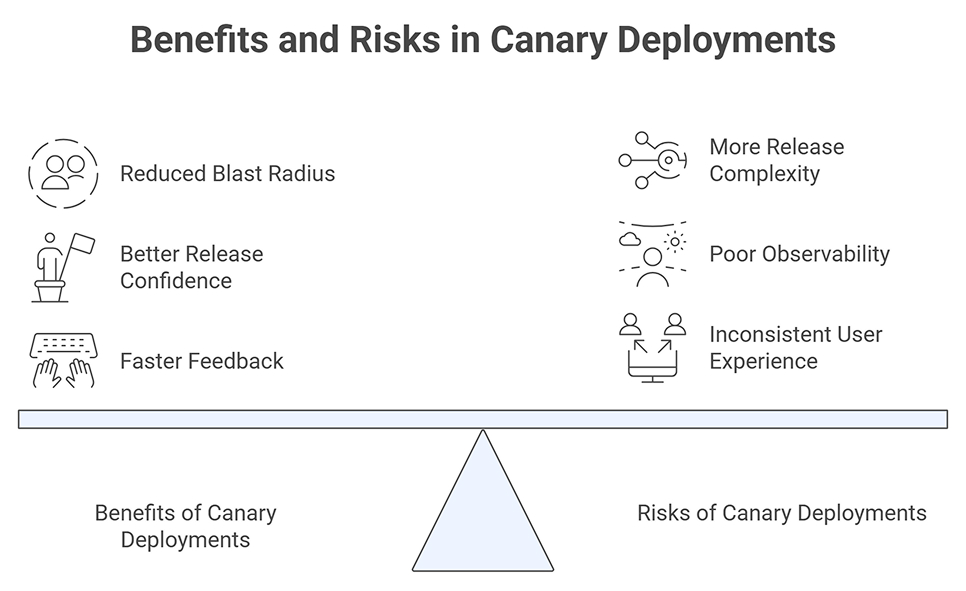
Benefits of Canary Deployments
- Reduced blast radius: If the new version has a bug, only a small group of users is affected. The team can stop the rollout before it becomes a larger outage.
- Better release confidence: All pre-release testing can only validate so much. Production goes beyond pre-release scenarios. Users display a wider variety of issues that would have gone unnoticed with testing and staging.
- Faster feedback: Developers gain quick visibility into how users are affected by the changes. This is especially important for large updates to system performance and infrastructure, APIs, and improvements to commonly used services.
Risks of Canary Deployments
- More release complexity: Canary deployments need automation, monitoring, alerts, traffic control, and clear ownership. Without these, the process can become hard to manage.
- Poor observability: A canary test is not useful if the team only checks basic uptime. They also need to monitor error rates, latency, logs, resource usage, and important user actions.
- Inconsistent user experience: Some users may see the new version while others still use the old one. If the change affects shared data, APIs, or database behavior, both versions must be able to run safely in parallel.
Final Thoughts
Canary deployment gives teams a safer way to release software, but it depends on preparation. The strategy works well when changes are small, observable, reversible, and compatible with the current production system. For developers, the real value is not only safer deployment but also learning from production without exposing every user at once.
FAQs
1. What percentage of traffic should typically be routed to the Canary environment at each stage?
Canary traffic percentages do not indicate a process that has a legally binding specification, in that it should be fulfilled to perfection. Many teams therefore begin with 1–5% before increasing to 10, 25, 50, and eventually to 100% if the metrics seem correct. High-risk systems should move more cautiously and wait longer between stages.
2. Which tools and platforms make it easier for developers to automate canary deployments?
Some popular tools and platforms include Kubernetes with ingress or service-mesh routing, AWS deployment tools, CI/CD platforms like Codefresh, Argo Rollouts, Flagger, and Spinnaker, Istio, and Linkerd. Due to their support for progressive delivery and metrics-driven decision-making, Argo Rollouts and Flagger are common tools among Kubernetes user groups.
3. How do teams define success criteria and rollback conditions for a canary deployment strategy?
Teams should define success before deployment starts. Good criteria include error rate, latency, saturation, crash rate, failed jobs, log anomalies, and important business actions. Rollback conditions should also be clear. For example, roll back if p95 latency rises too much or if checkout failures increase.
4. What monitoring and observability signals are most important during a canary test?
The most important signals are request error rate, latency, traffic volume, CPU and memory usage, logs, traces, and user-facing behavior. Teams should also track domain metrics such as payment success, search completion, sign-up rate, or API job success. A canary test is only useful when these signals are visible.