A couple of years ago, I was on a team that pushed to production every Thursday. It was always tense.
We’d kick off the release and just sit there watching dashboards. Waiting. Hoping nothing broke. A lot of the time, something did. Then it was panic mode: patch it fast or roll everything back. By Friday, everyone was exhausted. It was a rough cycle.
Leadership thought the fix was to slow down, with more approvals, more manual QA, and longer release cycles. But that just made things worse. Changes piled up. Merge conflicts got ugly. Each release became this giant bundle of features, and when something broke, no one knew which change caused it.
Eventually, we tried the opposite: continuous deployment. If a commit passed the pipeline, it went live. No special release day. No manual gate. And weirdly, things got more stable.
That’s what surprised me most. It sounds risky at first. But when you ship small changes all the time instead of huge batches every two weeks, the risk actually goes down. We discovered this through experience. The setup process is not straightforward, and it requires appropriate tools and established procedures. However, once it is functioning properly, the experience is considerably better than the anxiety associated with expected challenges.
What Is Continuous Deployment, and Why Does it Matter Now?
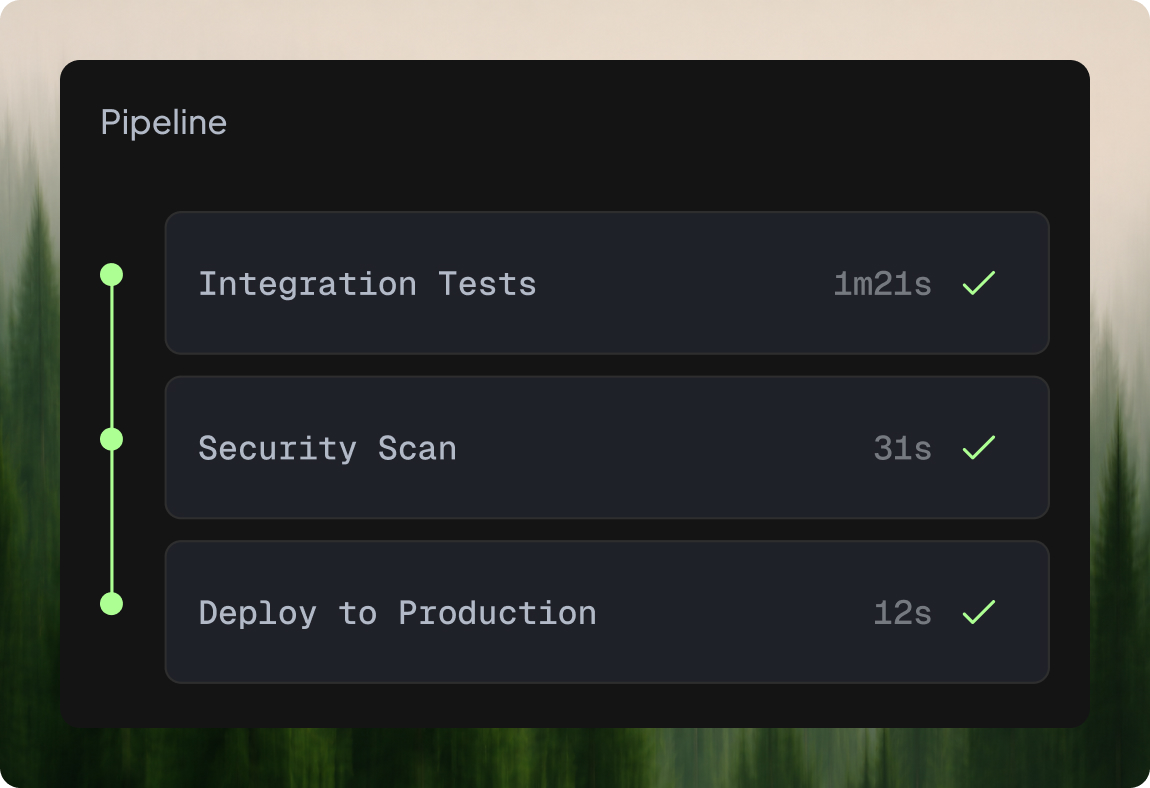
Continuous deployment means you push your code and run automated tests right away. If they all pass, it goes live without any approvals or sitting around waiting for someone to sign off.
That part about reducing risk makes sense to me because you’re sending out small updates often rather than these big, overwhelming batches all at once. When something breaks, it’s not hard to figure out what the last change was and quickly roll it back.
I think the push for this in 2026 comes from the need for companies to move faster these days, especially with the expansion of microservices, and Kubernetes changing everything. The old scheduled releases feel outdated when you have hundreds of independent services running. If you do not keep deployments rolling smoothly, the whole process grinds to a halt, and nothing gets done.
It surprised me how it actually helps with team morale, too. Engineers can see their work live almost immediately, rather than waiting weeks for a release cycle. That kind of quick feedback loop keeps everyone more excited about what they are building.
Continuous Integration vs. Continuous Delivery vs. Continuous Deployment
People often confuse CI and CD. “CI/CD” is a single term, but CD can mean either delivery or deployment, and they’re different.
Continuous integration (CI) is the base. Developers push code often, triggering builds and tests to catch issues early. Without solid CI, nothing else works well.
To make the code always ready to go live, continuous delivery automates the build, test, and package process. But someone still has to approve the release, even if we automate everything.
What continuous deployment does is deploy directly: if the pipeline passes, the code goes live automatically, no approval needed.
The real difference is trust. Do you trust your automation to deploy on its own? It’s a small shift, but it makes teams focus more on testing and monitoring.
Full deployment isn’t always possible in industries like healthcare or finance due to legal requirements. But if you’re able to, it brings more speed and efficiency to the development process.
Continuous Deployment Best Practices
Here’s what I’ve learned from my own experience and from seeing multiple teams make this shift, which can undoubtedly help you.
Your test suite is your safety net. Treat it like one.
I really can’t stress this enough: if your tests aren’t more robust, continuous deployment will just push bugs to production like easy passes with our checks. You need a few different layers to catch problems early:
- Unit tests for core business logic (these run fast, write a lot of them).
- Integration tests to verify that your services actually talk to each other correctly.
- End-to-end tests covering the most critical user journeys-sign up, checkout, whatever generates revenue.
- Contract tests if you’re using microservices, because API changes between services will bite you hard otherwise.
- Performance tests, even basic ones that check response time, aren’t regressing.
Flaky tests deserve special attention. We had one that failed about 15% of the time because of a timing issue. For months, engineers just reran the pipeline whenever it failed. Then one day, a real bug slipped through because everyone assumed it was “just that flaky test again.” After that, we made a strict rule: any flaky test has to be fixed or removed within a week. No exceptions. If your tests aren’t reliable, they’re worse than useless.
Feature flags change everything
Feature flags were a total game-changer for us. They let us push code to production but keep the new feature hidden with a simple switch. The code was live, but no one saw the feature until we flipped it on.
We’d start small, maybe 5% of users, sometimes just our team, or a specific group of customers. It gave us a lot of control.
The biggest shift? Deploying code wasn’t the same as releasing a feature anymore. Before, once the code went live, everyone got it. That was risky. With flags, if something went wrong, we just turned the feature off. No redeployment. No rollback. Just flip the switch. It saved a ton of stress.
The downside: flags pile up fast if you’re not careful. They become clutter, and eventually no one remembers what they’re for.
We fixed that by making a rule: every flag expires after two weeks. If the feature isn’t fully launched by then, someone has to actively extend it. That rule keeps the code clean and stops old flags from hanging around forever.
Progressive delivery: don’t go from zero to everyone
Even with feature flags, you still need to control how new code rolls out.
With a canary deploy, you send a small amount of traffic, around 2–3%, to the new version. If everything looks good, you slowly increase it. If not, you stop.
Blue-green is simpler. You have two environments. Update one, test it, then switch traffic over. If it fails, switch back.
We use canary for most changes. For risky tasks like database updates, blue-green deployments feel safer. Combined with feature flags, it gives you solid control without much stress.
Monitoring that actually triggers rollback
Deploying without real-time monitoring is asking for trouble. You need to know right away, ideally within seconds, if something goes wrong after a deployment.
Track key metrics such as error rates, response times, and throughput at the application level. Also, monitor CPU, memory, and pod health at the infrastructure level. And if you can, track business metrics too, things like conversion rates, sign-ups, or transactions per minute. We once caught a bug that didn’t throw any errors or spike latency but quietly broke a payment flow. The only sign was a 40% drop in checkout completions. Without those business metrics, we wouldn’t have caught it for hours.
Set up automated rollback. If error rates increase by more than X% within Y minutes after a deployment, roll it back automatically. Don’t wait for someone to notice. Most deployments have built-in features, such as Argo Rollouts, Flagger, and Harness.
Keep the pipeline under 15 minutes
A pipeline that takes 45 minutes to run will completely slow down your team’s performance. People will start grouping changes instead of committing frequently, and pull requests will get stuck. If the feedback loop is really slow, you lose the whole point of continuous deployment.
To speed things up, always run your tests in parallel, use incremental builds and cache the dependencies. Remove steps that don’t add real value in the pipeline. We polished our pipeline time from 38 minutes to 11 by eliminating integration tests and switching to a faster container registry. So, the result? Engineers went from committing twice a day to five or six times a day.
Trunk-based development (yes, really)
Long-lived feature branches are incompatible with continuous deployment. If someone is working on a branch for two weeks, merging that back into main creates risk.
Trunk-based development means everyone commits to main (or to very temporary branches that merge within a day). Yes, it feels uncomfortable at first. But combined with feature flags, it works. You ship incomplete code behind a flag, iterate on it in production, and nobody notices until you’re ready to flip the switch.
The Right Tooling Matters
You don’t have to start all over. In 2026, there are many reliable tools available to help you build a solid deployment pipeline:
- GitHub Actions, GitLab CI, or CircleCI for building and testing your code.
- Argo CD or Flux for GitOps-style Kubernetes deploys.
- Argo Rollouts or Flagger for canary and blue-green strategies.
- LaunchDarkly, Unleash, or Flagsmith to manage feature flags you can use.
- Datadog, Grafana, or Prometheus for monitoring and rollback triggers.
- Spinnaker or Harness for full pipeline orchestration, if needed.
Pick tools that integrate with what you already have. The specific vendor matters less than whether the pieces talk to each other without duct tape.
FAQ
How do you implement continuous deployment without breaking production?
You layer your safety nets. Comprehensive automated tests catch bugs before deployment. Canary releases limit the number of users who initially see new code. Automated rollback kicks in if metrics degrade past a threshold. Feature flags let you control when a feature is shown, separate from when the code is deployed. No single method is enough; it’s the combination that keeps things safe.
What testing strategies are essential for continuous deployment?
A strong testing setup is a must. Start with quick unit tests at the base level to check how services work together, add integration tests, ensure APIs between microservices stay compatible with contract tests, and include a small set of end-to-end tests for the most important user flows. Flaky tests must be fixed or removed immediately; they undermine trust in the pipeline. Lightweight performance checks on every deployment are also worth the effort.
How do feature flags enable safer continuous deployment?
They decouple deployment from release. The new feature stays turned off until you’re ready to launch it, when your code hits production. This lets you deploy unfinished work, test it with a small group of users, and if something goes wrong, just flip the switch to turn it off. Simple and quick. No redeployment, no rollbacks.
What metrics should teams track to measure continuous deployment success?
The DORA metrics are the gold standard for measuring software delivery. They focus on four key areas: first, how often you deploy. Second, how long it takes to get from code commit to production. Third, what percentage of deployments cause problems, and last, how quickly you recover from failures. Track all four. A team that deploys a lot but keeps breaking things isn’t doing continuous deployment right; they’re just pushing out bugs faster. The goal is to have both frequent releases and stable code.
About authors