Production behavior rarely matches test results. Real traffic brings odd inputs, uneven load, and slow downstream dependencies. A release that looks stable in staging often degrades under peak usage. Runtime intelligence focuses on what code does while running, then turns live behavior into decisions for engineering and product teams. Runtime software that supports this approach sits close to application runtime monitoring, yet aims beyond uptime charts.
What Is Runtime Intelligence?
Runtime intelligence is the practice of observing execution within running applications and converting those signals into insights. The focus stays on real requests, real users, and real dependencies. Instead of reading only logs after an incident, teams review how the system behaved during the incident, at the level of code paths and feature flows.
Runtime intelligence connects technical signals with impact. A team might learn that a single endpoint drives most paid conversions but also has the highest timeout rate. Another team might learn that a newly shipped feature receives almost no usage, while a legacy flow still consumes most CPU time.
How Runtime Intelligence Works
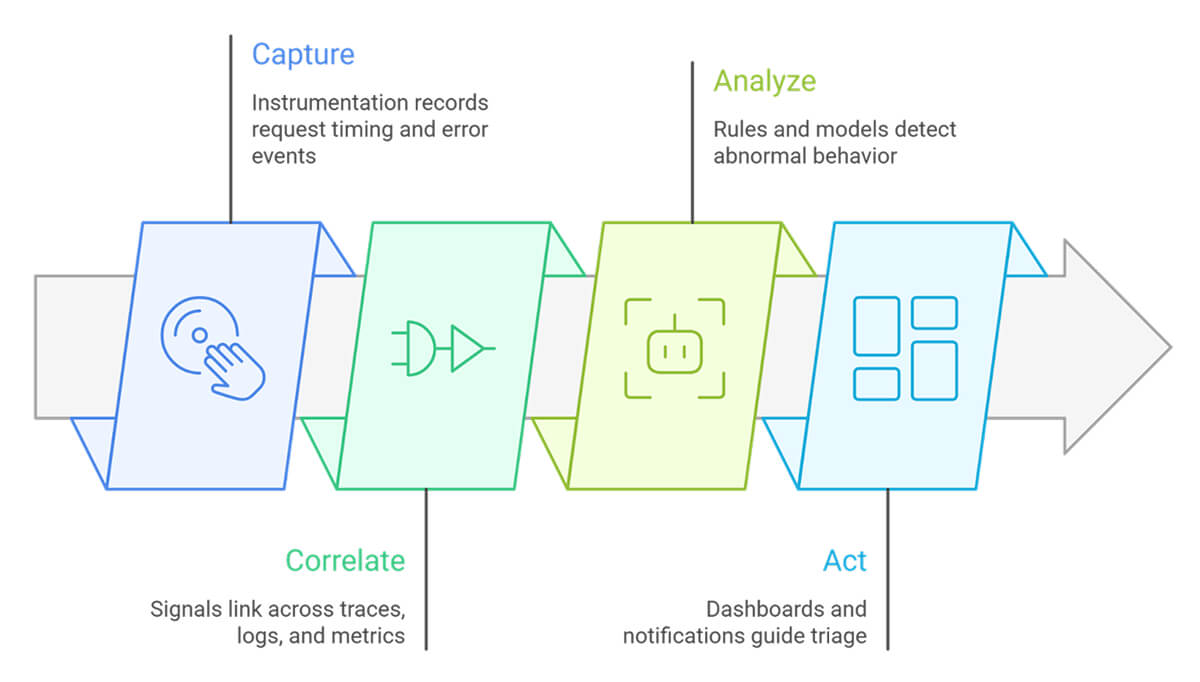
Runtime intelligence depends on instrumentation placed in services, libraries, or the runtime layer. Data then flows into a pipeline for correlation and analysis.
Common steps look like this:
- Capture: Instrumentation records request timing, error events, dependency calls, and key context such as release version, tenant, region, or feature flag state.
- Correlate: Signals link across traces, logs, metrics, and user sessions. Correlation turns scattered events into one view of a transaction.
- Analyze: Rules and models detect abnormal behavior, regressions, and hot paths. Teams slice results by version, customer tier, route, or dependency.
- Act: Dashboards and notifications guide triage. Reports shape roadmaps. Tickets tie runtime evidence to fixes.
Sampling matters. Teams often keep full data for error and slow-path analysis, while sampling high-volume, healthy traffic to control costs errors and storage.
Runtime Intelligence Use Cases and Applications
Runtime intelligence supports work across engineering, product, and operations.
Feature usage reality
Usage data shows what users touch, how often, and where drop-offs occur. Product teams use this to rank backlog items and remove dead features.
Performance work on hot paths
Runtime information shows when and where time accumulates. Engineers focus on the few code paths that dominate latency, rather than tuning parts of the system that rarely run.
Confidence in release
After deployment, teams compare runtime behavior by version. A spike in memory usage, new exception types, or slower dependency calls become visible before they have a wide impact.
Commercial and entitlement insight
If you sell runtime software, production usage shows what customers pay for. You can see which features each tier uses, how often they are used, and which ones appear in accounts that renew. Use this data to adjust tier boundaries and price add-ons, and to support renewal discussions with real usage.
Dependency risk management
Tracing reveals where third-party calls occur in the request flow. It also exposes retry chains that stack up and stretch latency. Use that view to apply strict timeouts, add circuit breakers, and build fallbacks around the calls that fail or slow down the most.
Traditional Monitoring vs. Runtime Intelligence
Traditional monitoring focuses on availability and resource pressure. Application runtime monitoring adds service statistics such as latency percentiles, request rate, and error rate. These signals answer, “What changed?” and “How severe is the impact?”
Runtime intelligence answers questions like “Why did the change happen?” and “Which execution path caused the impact?” The difference shows up during triage. A chart might show p95 latency rising. Runtime intelligence shows the route, code path, and dependency span at which time increased, plus which version introduced the shift. That context guides faster fixes and better prioritization.
Runtime intelligence does not replace monitoring. Monitoring detects and scopes incidents. Runtime intelligence explains behavior and connects fixes to evidence from production.
FAQs
1. How does runtime intelligence help with software development?
Runtime intelligence gives teams production feedback tied to code paths and releases. Engineers see which routes fail, which dependencies slow requests, and which features users ignore. This evidence guides refactors, performance work, and backlog choices. Teams also validate whether a release improved real latency and failure rates.
2. What data does runtime intelligence collect from applications?
Runtime intelligence collects execution signals from live traffic. Common data includes request traces, dependency timings, exceptions, process-level resource usage, and feature flag context. Many setups add user session markers, tenant or region labels, and release version tags to support slicing and regression checks.
3. What are the main use cases for runtime intelligence?
Common use cases include release regression detection, hot path performance tuning, feature usage analysis, and dependency risk analysis. Teams use runtime intelligence during incident triage to locate the failing path, then during normal weeks to reduce cost drivers such as slow queries, retries, and unused features.
4. How does runtime intelligence improve AI-assisted development?
AI-assisted changes often happen quickly and across many files. Runtime intelligence links those changes to production behavior by version and code path. Teams spot new error patterns, memory shifts, or slower calls tied to generated code. The feedback loop supports refining review rules and guardrails for AI-driven edits.